🎨 Structured Generation
Structured generation allows you to create images based on the shape and composition of a guide image.
This approach is a true creative boost because it lets you freely reinterpret an existing image, transforming it into new styles, materials, and visual contexts.
🪄 Practical Example
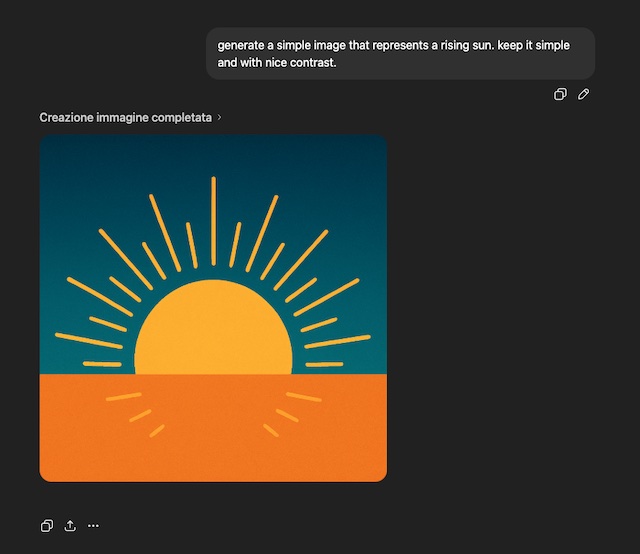
Suppose we want to generate an image that includes a reference to a rising sun.
- Obtain the guide image
You can use an image you already have or use tools like ChatGPT, Claude, etc. to generate one from scratch. In this example, we ask ChatGPT to produce an image of a rising sun.
-
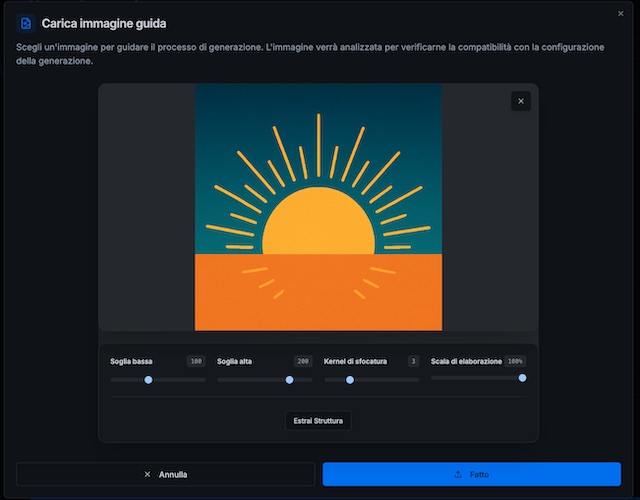
Upload the image to the panel
Use the panel to upload the Guide Image within the generation interface. -
Extract the structure
Activate the Extract Structure tool and adjust the parameters (thresholds, blur, scale, etc.) until you obtain the shape that best represents what you want to keep.
- Confirm the structure
When you are satisfied with the shape, confirm to save the structure as the basis for generation.
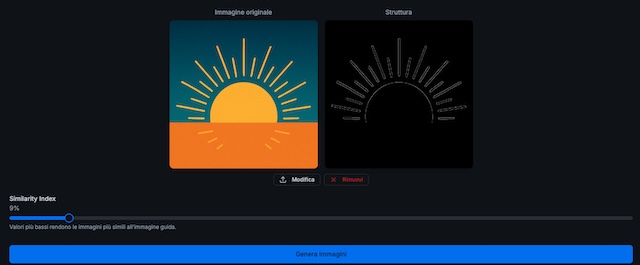
💡 Note: The structure will be more visible and recognizable in the final results when the similarity index is lower.
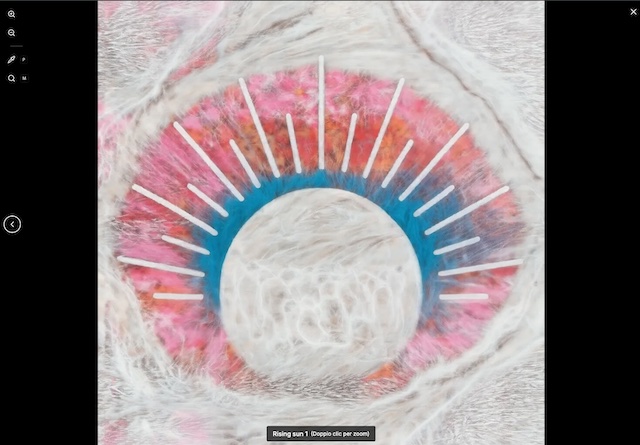
- Generate the result
Proceed with generation and see how the system reinterprets your guide image, keeping proportions and composition but reinventing the style.
✨ Why use it
Structure extraction is ideal for:
- reinterpreting sketches or visual references;
- maintaining compositional coherence among variants;
- experimenting with new ideas starting from concrete references;
- speeding up the creative process by avoiding starting from scratch.
With structured generation, every guide image becomes a springboard for new creative directions. 🌅